How do I get a receipt for my class subscription?
Step by step · Updated
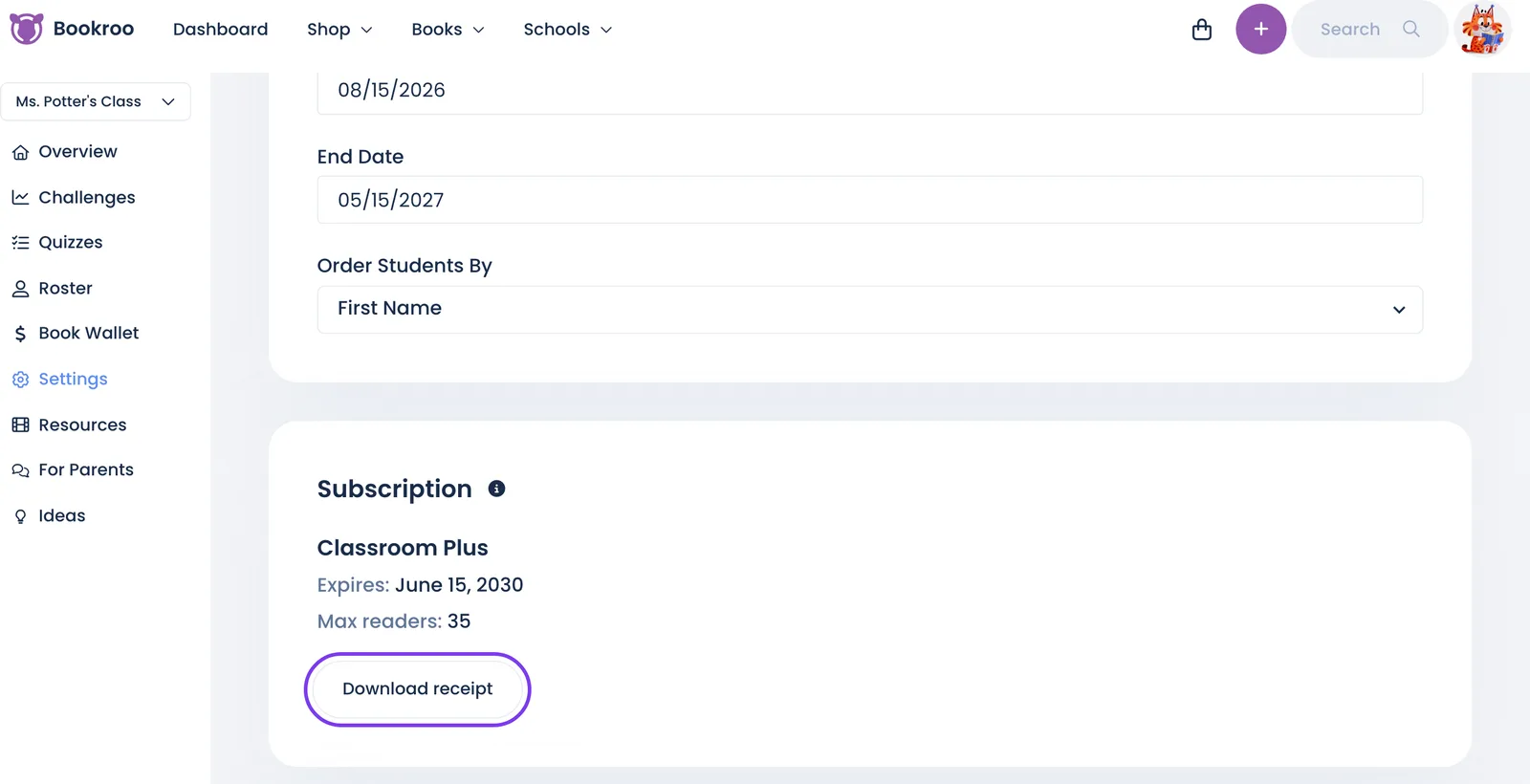
The class owner can download a receipt any time from Settings → Subscription → Download receipt.
- Open your class and go to Settings.
- In the Subscription card, click Download receipt.
- Your receipt opens in a new tab. Print it, or save it as a PDF for your school.
The receipt shows the amount paid, the date, the plan and the last four digits of the card.
- 12-month plan: you get the receipt for the payment that started your current year.
- Monthly plan: you get your latest paid invoice, with Download invoice and Download receipt buttons. Manage subscription lists every past invoice.
Good to know
- Someone else paid? If your school office or principal paid with their card, the receipt still lives on your class. Download it and forward it to them.
- Only the class owner sees Download receipt. Co-teachers don't.
- No button? Classes on a school or district plan, and classes paid by purchase order, check or a payment link we sent, are billed by invoice. Email schools@bookroo.com and we'll send you a copy.
- "We couldn't find a receipt for this class" means we couldn't find a card payment for it. Email schools@bookroo.com and we'll send you one.
- New 12-month purchases also email a receipt to the class owner's email address.
Still stuck?
Email us or book a call. A person on the Bookroo team will help.