How do I share my class's reading with families or the school?
Step by step · Updated
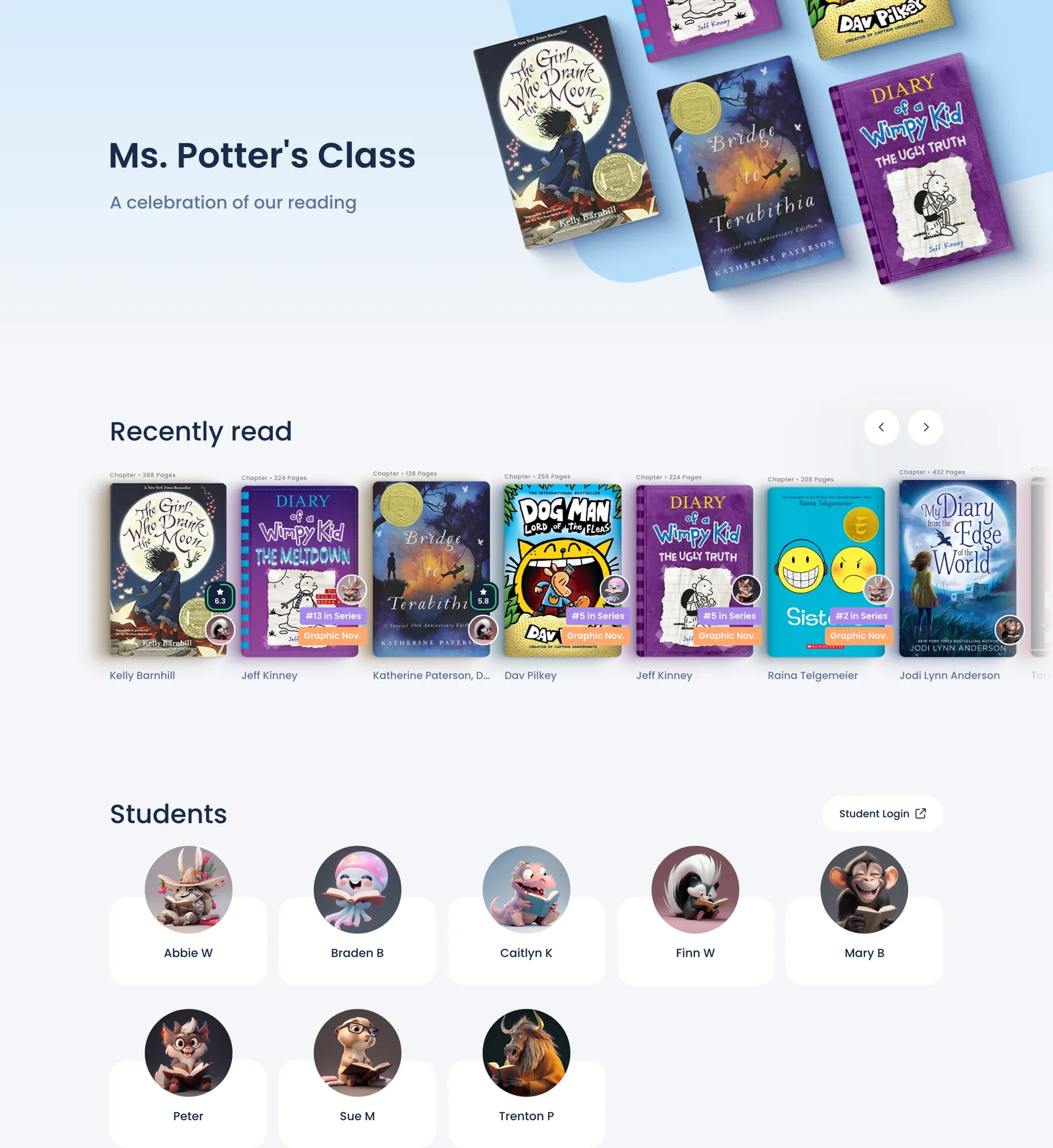
Share your Class Bulletin: a page that celebrates your class's reading. Anyone with its link can view it, and it isn't listed or searchable on Bookroo.
Turn it on and copy the link
- Open your class and click Settings in the sidebar.
- Under Privacy, tick Allow anyone with the link to view the Class Bulletin. New classes start with this off, so the bulletin and student pages stay private until you turn it on.
- Copy the link under Share your Class Bulletin link. It looks like
bookroo.com/pods/….
Click Class Bulletin in that sentence to preview the page first. Only the class owner and Admin co-teachers can change this setting.

What the bulletin shows
- Class challenges: progress charts for whole-class challenges that are running or ended in the last 30 days.
- Recently read and Popular books in your class.
- Students: each student's avatar and a shortened name (first name plus enough of the last name to tell classmates apart). Each one opens that student's reading page: books read this year, collectibles, recent and top-rated books, and wish lists.
- A Student Login button.
To make it private
Untick the box under Privacy. The link then only works for you and your co-teachers.
Ideas for sharing it: put it on your class or school website, or include it in a newsletter home. To connect families to their own child's account instead, see Send a flyer home.
Still stuck?
Email us or book a call. A person on the Bookroo team will help.