How do I get families to connect to Bookroo?
Step by step · Updated
Download the welcome flyer from For Parents and send it home. Each student gets their own page with a code that connects their family's free Bookroo account to their class reading.
Steps
- Open your class and click For Parents in the sidebar.
- Under Introduce Parents to Bookroo, click Download flyers for English. For Spanish, open the arrow next to it and choose Download Spanish.
- Print the PDF and send each page home with that student.
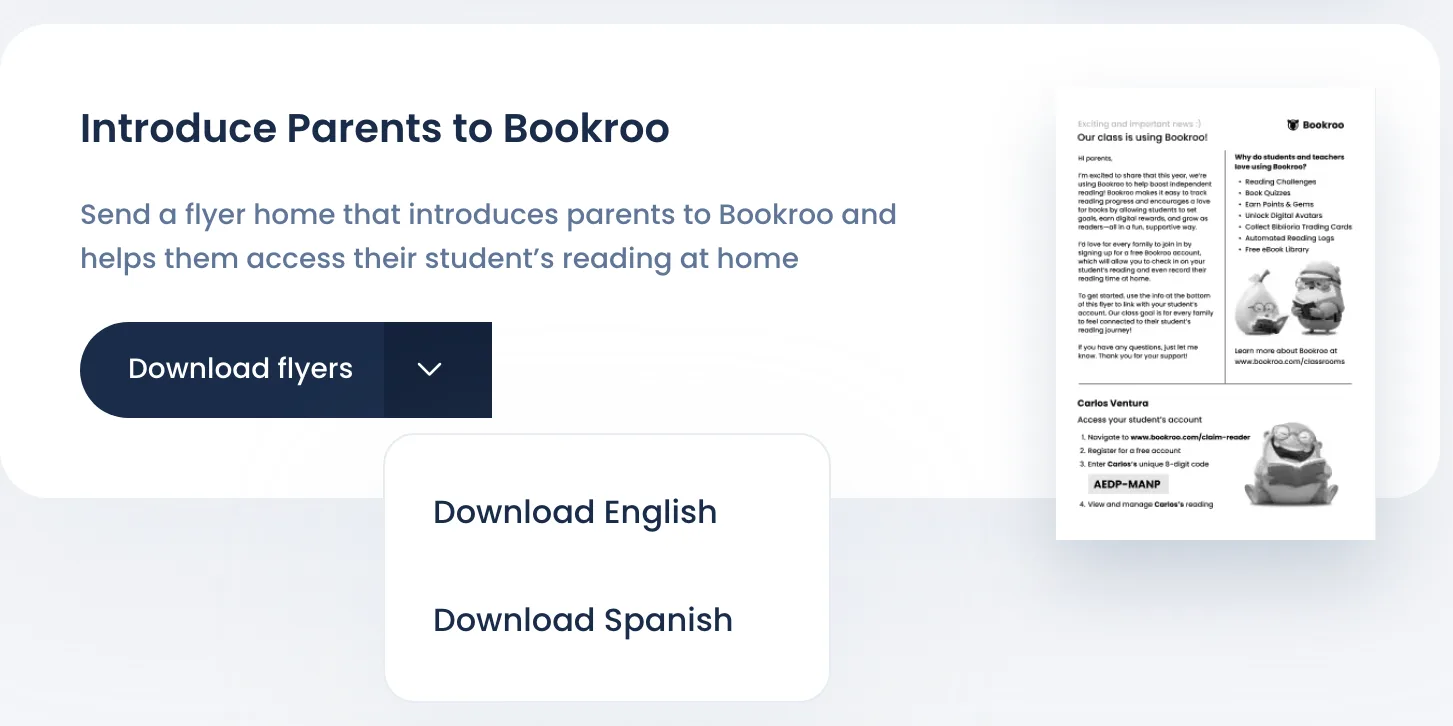
What families get
The flyer is a short letter from you explaining that the class uses Bookroo. At the bottom are the student's name and their 8-character code. A parent:
- Goes to bookroo.com/claim-reader.
- Registers for a free account.
- Enters the code.
The student's class reading then shows up in the parent's account. Parents can check in on it and record reading done at home.
Flyer or claim link?
They do the same thing. The flyer prints a code for every student at once. A claim link goes to one family at a time, by email or message. See Connect a student to their family.
Good to know
- A student whose family is already linked gets a page with an empty code box. Each code works only once.
- You need Edit access or higher to the class. With View access, the flyers print without codes.
- The same page has Parent-Teacher Reports for conferences. See Student reading report.
Still stuck?
Email us or book a call. A person on the Bookroo team will help.