How do I remove a student or move them to another class?
Step by step · Updated
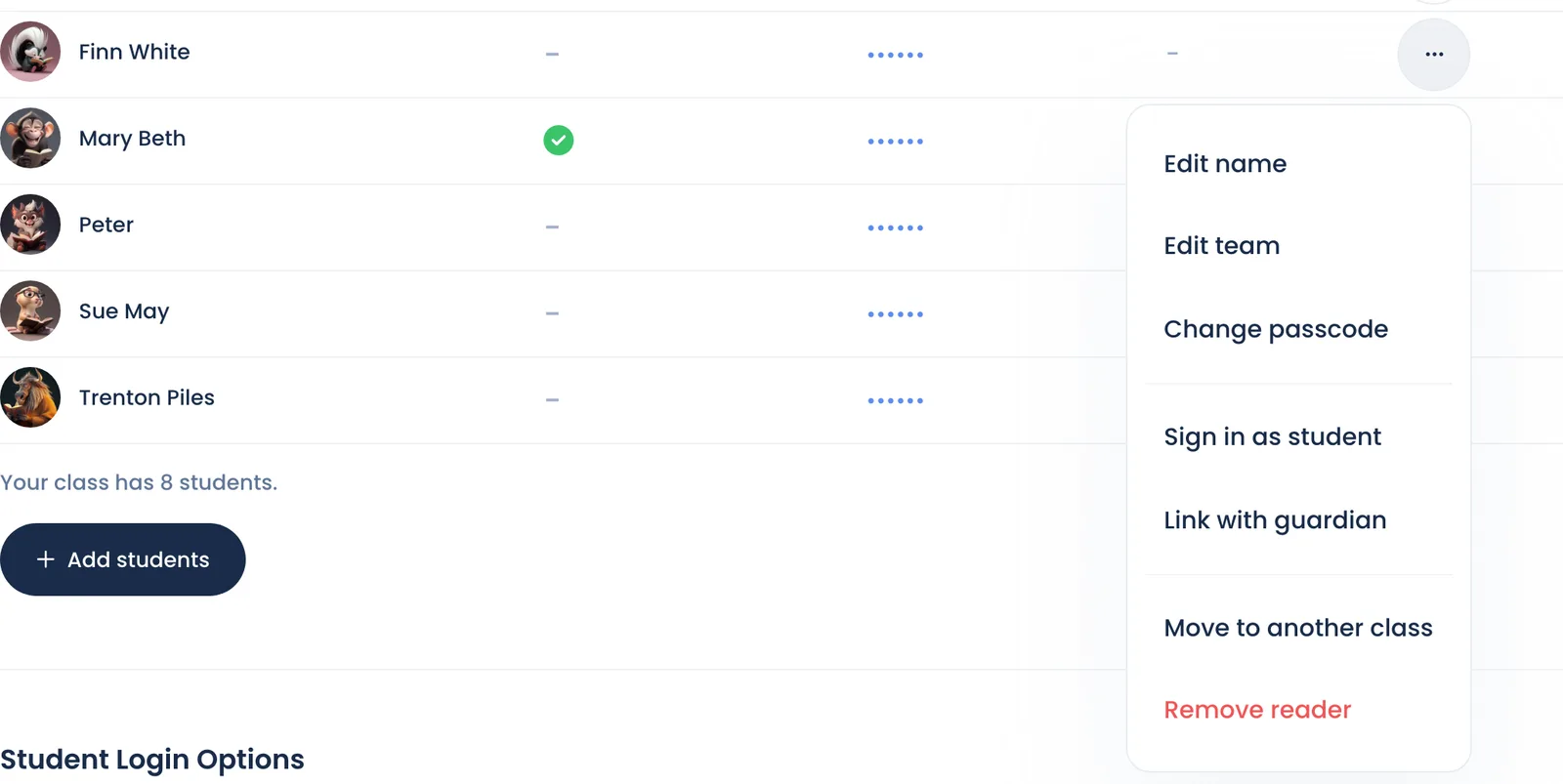
Both are in the student's menu: on Roster, click the … next to the student.
- Move to another class moves the student to another of your classes, or to a colleague's class at your school. They keep their points, passcode and reading history. The new class must not have ended and needs a free seat.
- Remove reader takes them off this class. It doesn't delete a family account they've linked to. A student who isn't linked to another account is deleted, so move a student who is going to another class instead of removing them.
Other options in the same menu: Edit name, Edit team, Change custom ID, Change passcode, Reset password, Sign in as student, Link with guardian. Some show only when they apply: Edit team if your class has teams, Change custom ID if it uses custom IDs, Change passcode or Reset password depending on whether it uses passcodes or passwords, and Link with guardian until the student is linked.
Class full? Removing students frees seats.
Still stuck?
Email us or book a call. A person on the Bookroo team will help.