How do I give a co-teacher access to my class?
Step by step · Updated
Add your co-teacher by email from your class's Roster page. Bookroo adds them right away and emails them an invite.
Steps
- Open your class and click Roster in the sidebar.
- Find the Administrators card and click Add administrator.
- Type their name and school email.
- Choose what they can do:
- Edit (recommended): view class activity, make edits, and help students record reading.
- View: view class activity only.
- Admin: everything except deleting the class.
- Click Send invite.
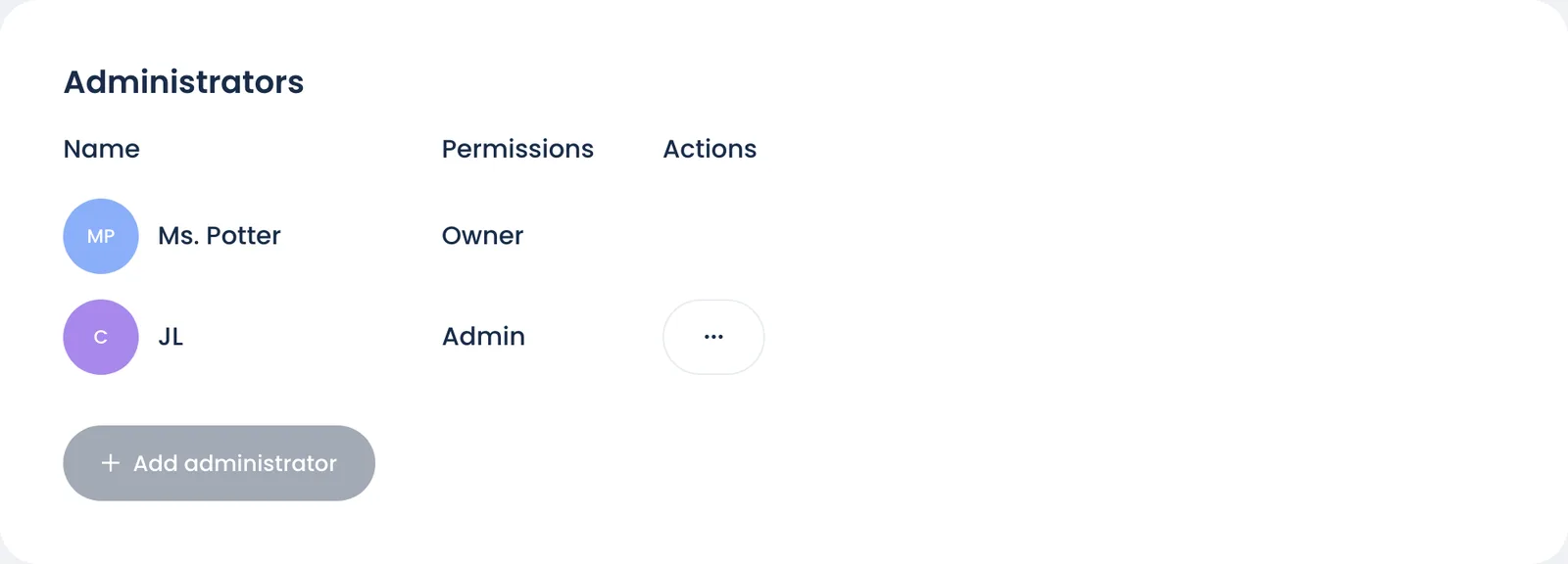
Your co-teacher shows under Administrators at once. The email links straight to the class. If they're new to Bookroo, it has a Choose a password button instead, and they can also sign in with Google or Clever using that address. Either way, the class shows under Your places on their dashboard.
Good to know
- Prefer to send it yourself? Click Get a link instead, choose a permission, then Generate Link. Copy Link copies it; Compose Email opens your own email app with a note already written. A link expires after 7 days.
- The choose-a-password link lasts 7 days. After that, your co-teacher can use Forgot Password on the sign-in page.
- To change or remove someone, click the … next to their name in Administrators, then choose Edit permissions or Remove administrator.
- At a school on a school plan, your school's Bookroo admin can also add teachers to any class from the school dashboard. See Add teachers to your school.
Still stuck?
Email us or book a call. A person on the Bookroo team will help.