How do I add teachers to our school and assign them to classes?
Step by step · Updated
School admins add teachers from the Administrators section at the bottom of the school dashboard. You can give a person access to the whole school, to particular classes, or both, in one step.
Teachers can also share their own class; see Give a co-teacher access.
Before you start
You need Owner or Admin permission on the school. If you can't see the Administrators section, ask whoever set up your school's Bookroo account, or email schools@bookroo.com.
Steps
- Sign in and go to your Dashboard. Under Your places, click your school's card.
- Scroll to the bottom, to Administrators. The table lists everyone with access, their Org Permissions, and their Class Permissions for each class.
- Click the + next to the Administrators heading.
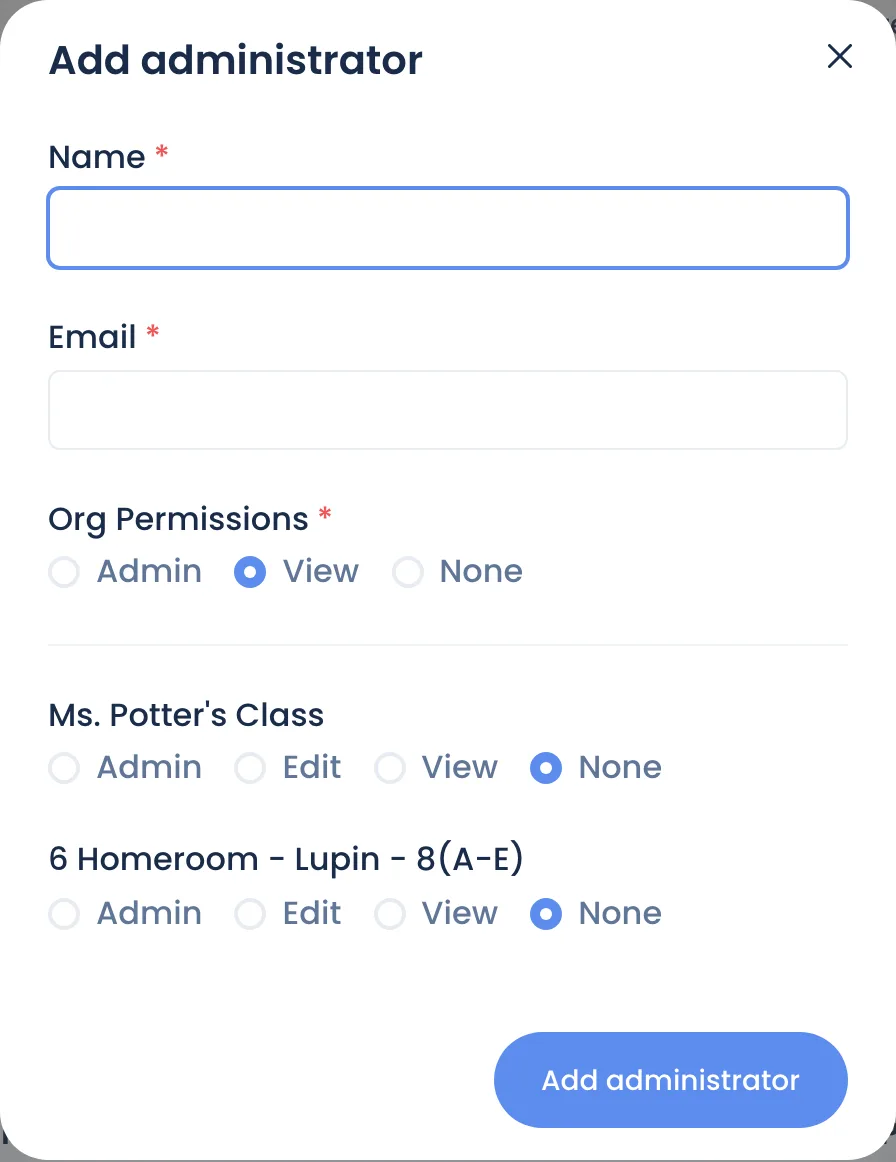
- Enter the teacher's Name and Email. Use the email they sign in with. For Google or Clever users, that's their school Google or Clever email.
- Set Org Permissions:
- Owner or Admin: manage the school, including this Administrators list. These people can also view every class.
- View: see the school dashboard.
- None: class access only (typical for a classroom teacher).
- Under each class, set their permission: Owner, Admin, Edit, View or None. A co-teacher usually gets Edit.
- Save.
To change someone's access later, click Edit on their row.
What the teacher does next
When you save, Bookroo emails the teacher that you added them, with a button to the school or class:
- New to Bookroo: the button is Choose a password. The link works for 7 days. They can also skip the password and use Sign in with Google or Sign in with Clever at bookroo.com/login → Educator, if the email you entered is their Google or Clever account.
- Already has a Bookroo password: the button is Open Bookroo, and they sign in the way they usually do.
Their classes then appear under Your places.
Common questions
- Does our SIS or Clever roster add teachers automatically? No. Rostering brings in students (see Rostering with Clever and Google). Teacher access is managed here.
- A teacher sees the school but not a class. Their Class Permissions for that class are None. Edit their row.
- The invite link expired, or the email never arrived. Ask them to check their spam folder. Otherwise they go to bookroo.com/login → Educator → Sign in with email → Forgot Password? to set a password.
- Does changing someone's permissions send another email? No. Bookroo only emails when you give someone access to the school or a class they couldn't open before.
Still stuck?
Email us or book a call. A person on the Bookroo team will help.