How do I set up a reading challenge?
Step by step · Updated
Go to Challenges in your class sidebar. Click Add challenge, or Browse templates to start from a ready-made one.
Pick a mode
| Mode | How it works |
|---|---|
| Individual Challenge | Each student works toward their own goal, like a 40-book challenge |
| Team Quest | The whole class pools its reading toward one goal. You can invite other classes. |
| Class Clash | Class vs class on a leaderboard |
| Grade Gauntlet | Grade vs grade on a leaderboard |
| House Rivalry | House vs house on a leaderboard |
| Book BINGO | Each student fills a bingo card with books that match each square |
Set the goal
- Give it a Name and Start date and End date.
- Under What do you want to track?, choose the Metric: Books read, Pages read, Minutes read or Words read.
- Set the goal, and a reward if you want one.
- Save.
Add rules
Under Challenge rules, tick any of these:
- Reading must be quiz or admin certified: a book counts only once the student passes its quiz or you certify it. A book quizzed after it was finished counts on the day of the quiz, so a book read in September and quizzed in October counts toward an October challenge. A book you certify counts on the day it was finished.
- Books must be within each student's ZPD: only books inside a student's Lexile range count. Books below or above it, or with no level, don't. Students without a ZPD can read any level. The rule appears once a student in the class has a ZPD (set it on Reading Levels), and only when the challenge counts books.
- A minimum page count, word count or Lexile level that every book must meet.
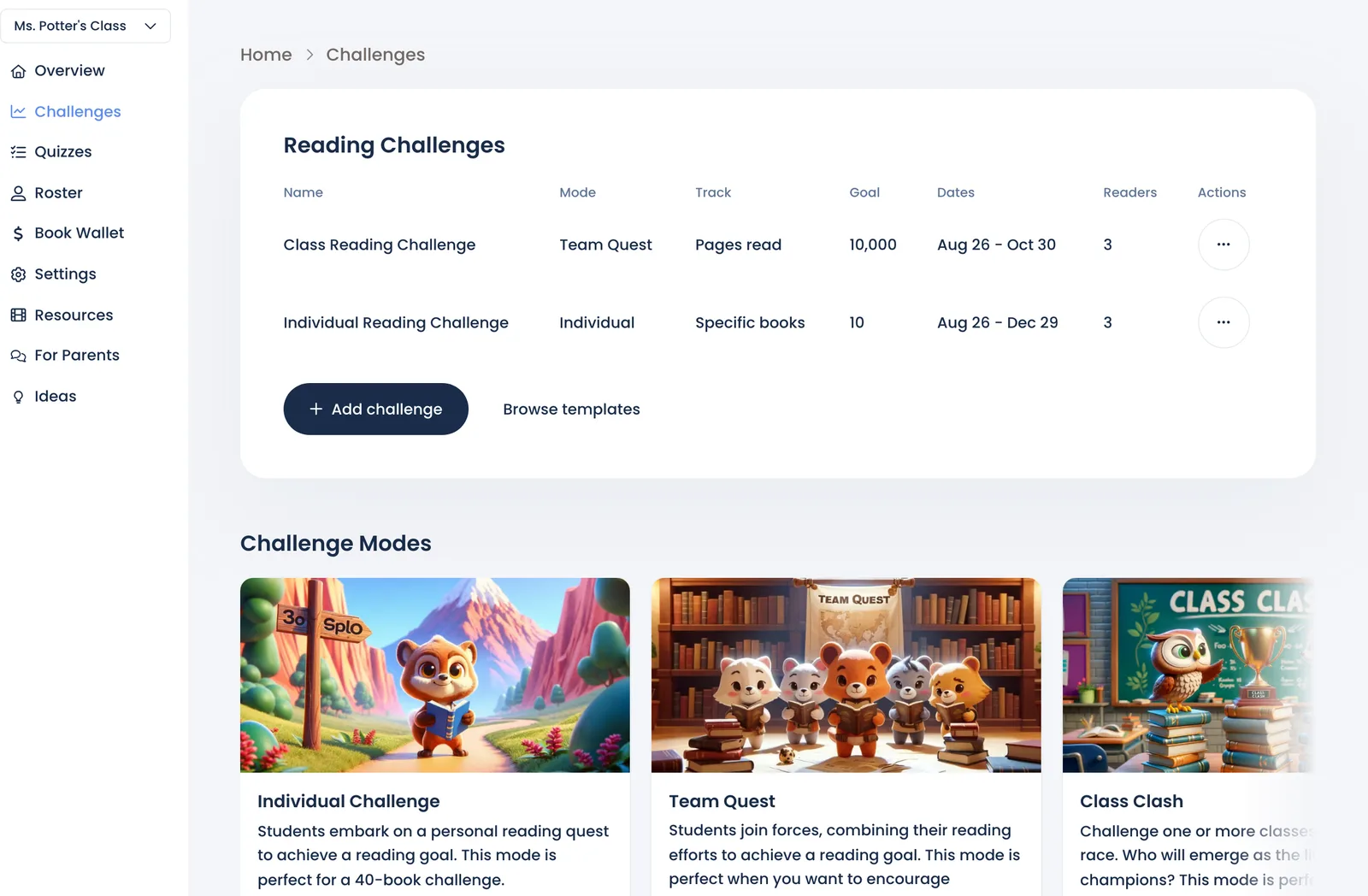
Each challenge's row on Challenges has View challenge (progress and leaderboard) and Manage readers (who's in it). Ended challenges are tucked under Show N expired.
Ask Marian: "Set a goal of 100 pages a week" or "2 books a month". She shows you the challenge to approve before saving it.
Still stuck?
Email us or book a call. A person on the Bookroo team will help.