How do I record or fix reading for a student?
Step by step · Updated
Record reading from Add Reading on your class Overview. Fix or remove an entry from the student's Reading Log.
Record reading
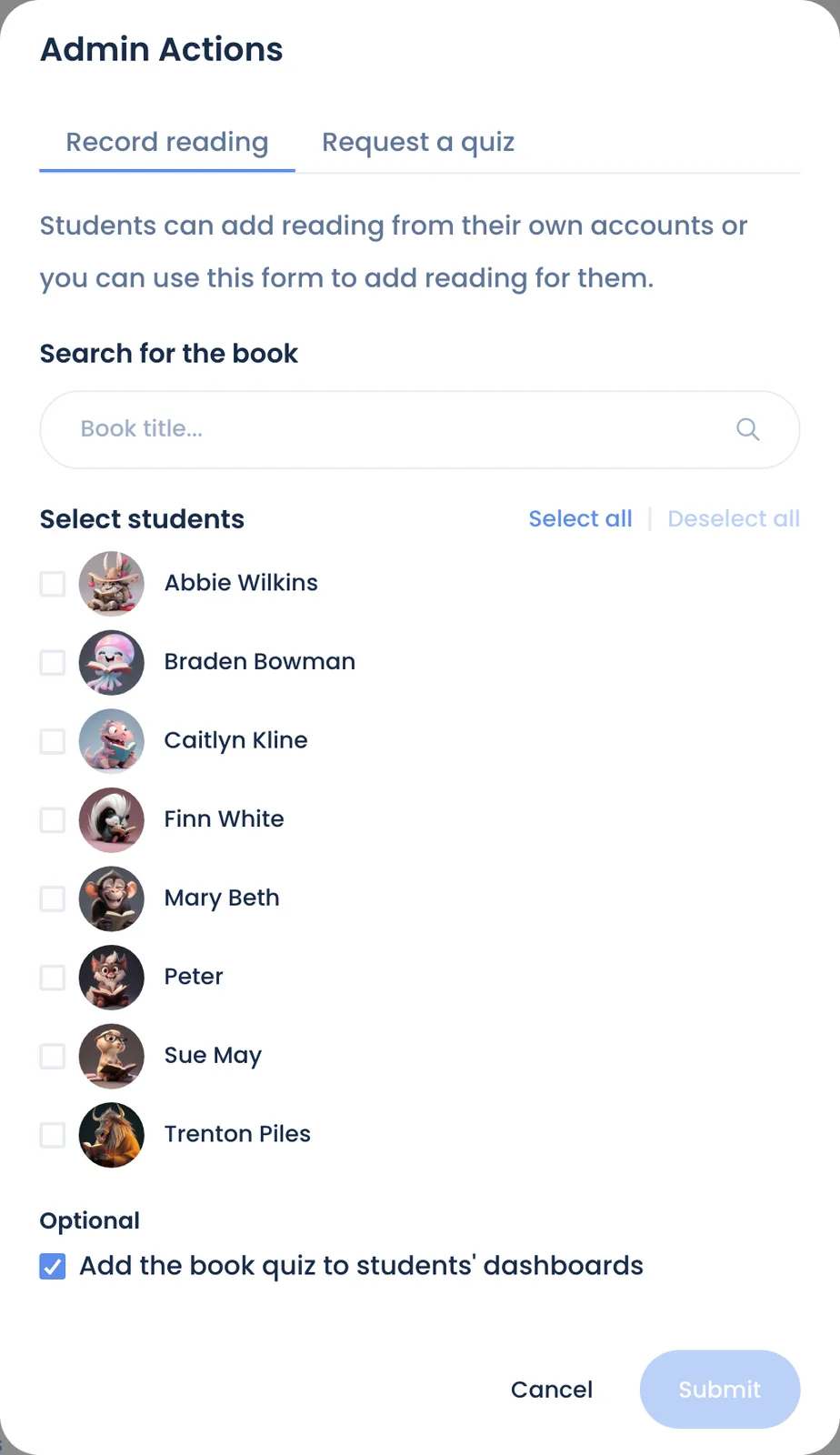
- On your class Overview, click Add Reading.
- On the Record reading tab, choose the student, the book, and how much they read.
- Save. The student's points update right away (see How points work).
Fix or delete an entry
- From Overview, open the Reading Log and pick the student. Use Switch reader, or Previous and Next, to move between students.
- Click … in the Actions column of the entry, then Edit reading.
- Change Page Reached or Minutes Read, or click Delete entry.
Points follow the entry: editing or deleting it adjusts the student's total.
Certify a finished book without a quiz
In the same … menu on a finished book:
- Admin certify lets you add a note.
- Admin certify (fast) certifies in one click.
- Remove admin certification undoes it. A book whose quiz the student passed keeps the credit the quiz gave it.
Certifying counts the book as proven read, which releases points for students set to Quiz or admin certified (Require a quiz before points).
Still stuck?
Email us or book a call. A person on the Bookroo team will help.