What do students see when they sign in?
Reference · Updated
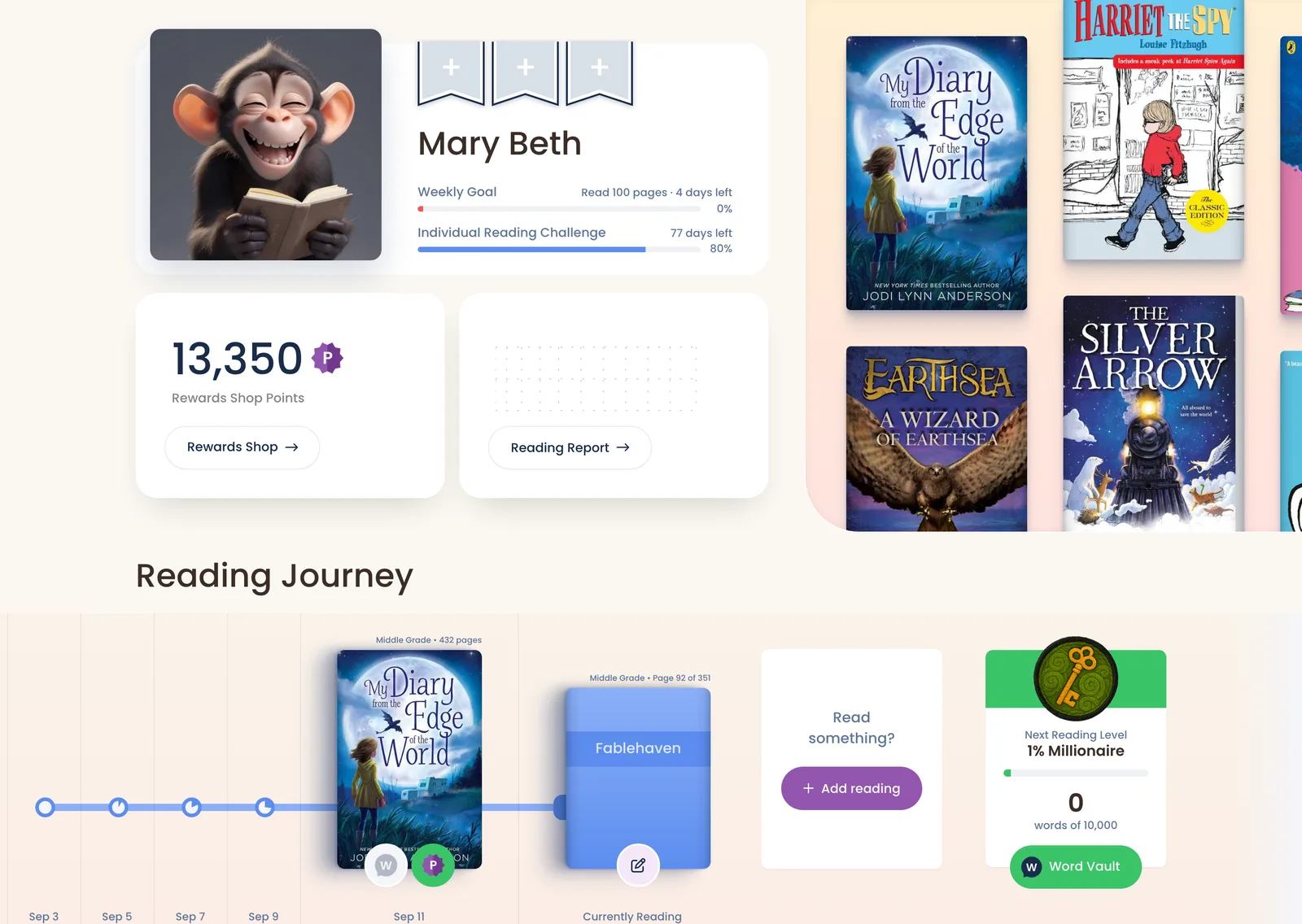
After signing in, students land on their own reading dashboard. To see it exactly as a student does, go to Roster → … next to the student → Sign in as student. Click Back to Teacher when you're done.
Top bar
| Item | What it does |
|---|---|
| Dashboard | Back to their reading dashboard |
| Rewards | The Rewards Shop |
| Books | Book discovery, plus the eBook Library |
| Search | Find any book by title, author or ISBN |
| Add reading (purple + on phones) | Record reading. See How students record reading. |
The dashboard, top to bottom
| Section | What's there |
|---|---|
| Profile card | Their name and avatar, your class reading goal, and progress on an individual challenge |
| Points card | Their points, how many more they can earn this week, and a Rewards Shop button |
| Assessments | Any custom assessments you've assigned, with Take assessment |
| Reading Journey | Their recent reading. Tap a book to update it or take its quiz. |
| Reading calendar | A sticker for each day they read |
| Quizzes You Requested | Requested quizzes that are now ready |
| Active Reading Challenges | Each challenge they're in, with progress |
| Challenges you can join | Challenges open to them |
| Getting Started | A checklist: mark a book read, rate a book, polish a stone, collect a trading card |
| Reading Stats | Books read, this year, last 30 days, and rated |
| My Class | A link to each class page |
| My Resources | Their Reading Log, Book Quiz Log, book lists and more |
Rewards Shop
Students spend purple points on Avatars, Sticker Packs, Trading Cards, Bookmarks, Postcards, Coloring Pages and 3D Models. 3D models they unlock are kept under Collectibles. Each class has its own tab for the custom rewards you create, paid in blue points. See What can students spend their points on?.
Stones and gems
- Students earn a stone by rating a book they've finished (on the book's Reflect tab). Books need at least 30 pages, and longer books give more stones (up to 5).
- Clicking Polish turns a stone into a gem: a ruby, emerald, sapphire or diamond.
- Gems unlock some shop items. Students can earn up to 30 stones (so 30 gems) a week.
Still stuck?
Email us or book a call. A person on the Bookroo team will help.