How does a student take a book quiz?
Step by step · Updated
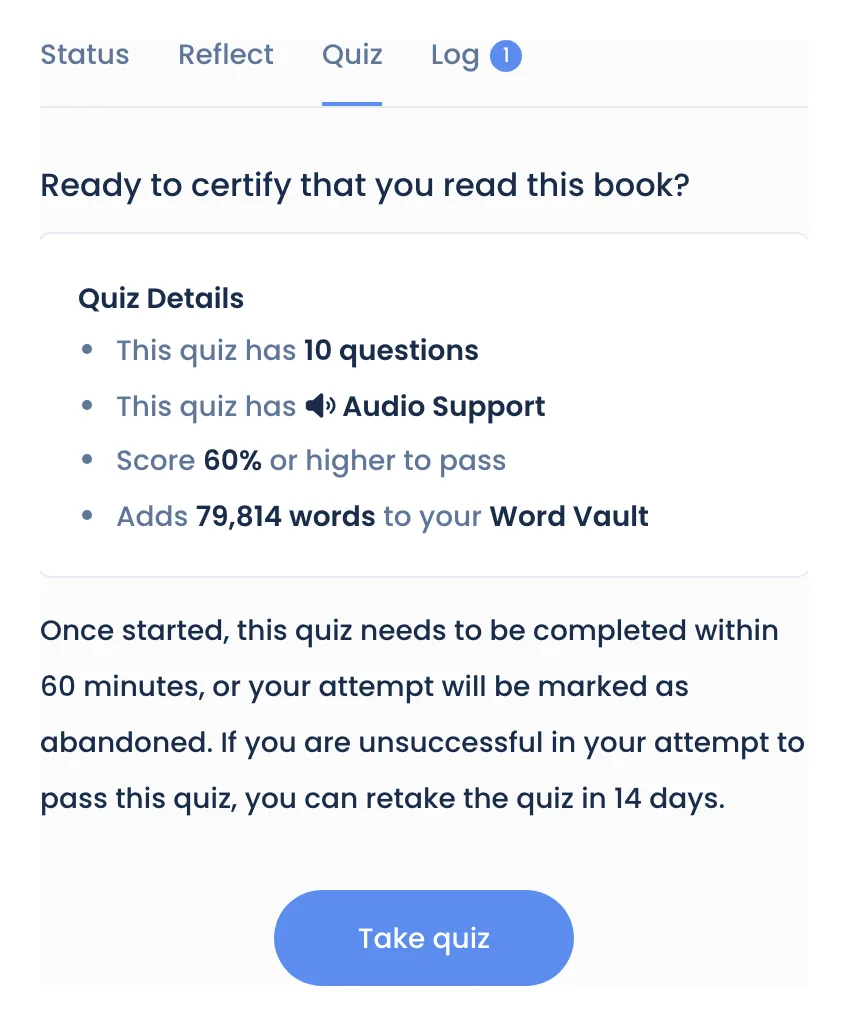
A student opens the book on Bookroo, goes to the Quiz tab and clicks Take quiz.
Take the quiz
- Find the book: search for it, or tap it in the Reading Journey on the student's dashboard.
- Open the Quiz tab. The Quiz Details box shows the number of questions and the score needed to pass. Every quiz has Audio Support.
- If a password is needed, you type it into Monitor password. It's the one set under Settings → Book Quizzes → Require Password. It can also be required just for books above a student's reading range, or with no known level (see Reading levels and ZPD).
- Click Take quiz.
- For each question, the student picks an answer and clicks Submit answer. The speaker buttons read the question and each answer aloud.
- After the last question, the results appear.
Students set to Admin controlled can take a quiz only after you've recorded the book as read for them.
Finishing on time
- With Resume Quiz off, a quiz must be finished within 60 minutes. Closing it early asks "Are you sure?", and Abandon quiz ends the attempt.
- With Resume Quiz on, the student can close the quiz and come back within 8 days. The button then says Continue quiz.
Passing and retakes
- Pass: the book is marked as read, and the student can add its words to their Word Vault. A passed quiz can't be taken again.
- No pass, or abandoned: the student sees the date they can retake it. That's 14 days later by default (your Retake Wait Days). A quiz abandoned before the first answer has no wait. To let them in sooner, see Change a retake date or certify.
When a book has no quiz yet
The Quiz tab says the quiz "hasn't been finalized yet". The student clicks Request quiz. Most requests are ready within a few days, and the quiz then appears under Quizzes You Requested on their dashboard. See Quiz request statuses.
Some books never get a quiz, such as board books, box sets, wordless books and joke books. For those the tab says "This book does not support a quiz."
Quiz not starting? See A quiz won't start.
Still stuck?
Email us or book a call. A person on the Bookroo team will help.