How do students record their reading?
Step by step · Updated
Students record reading themselves with the purple Add reading button at the top of every page. On a phone it's a purple +.
Record a book
- Click Add reading.
- Under Search for a book, type the title, or click Scan to scan the barcode. A book already in progress appears under Currently Reading; tap it to skip the search.
- On the book:
- Finished it? Click Mark as read.
- Still reading? Open the arrow next to it and choose Mark as reading. Next time, click Update progress.
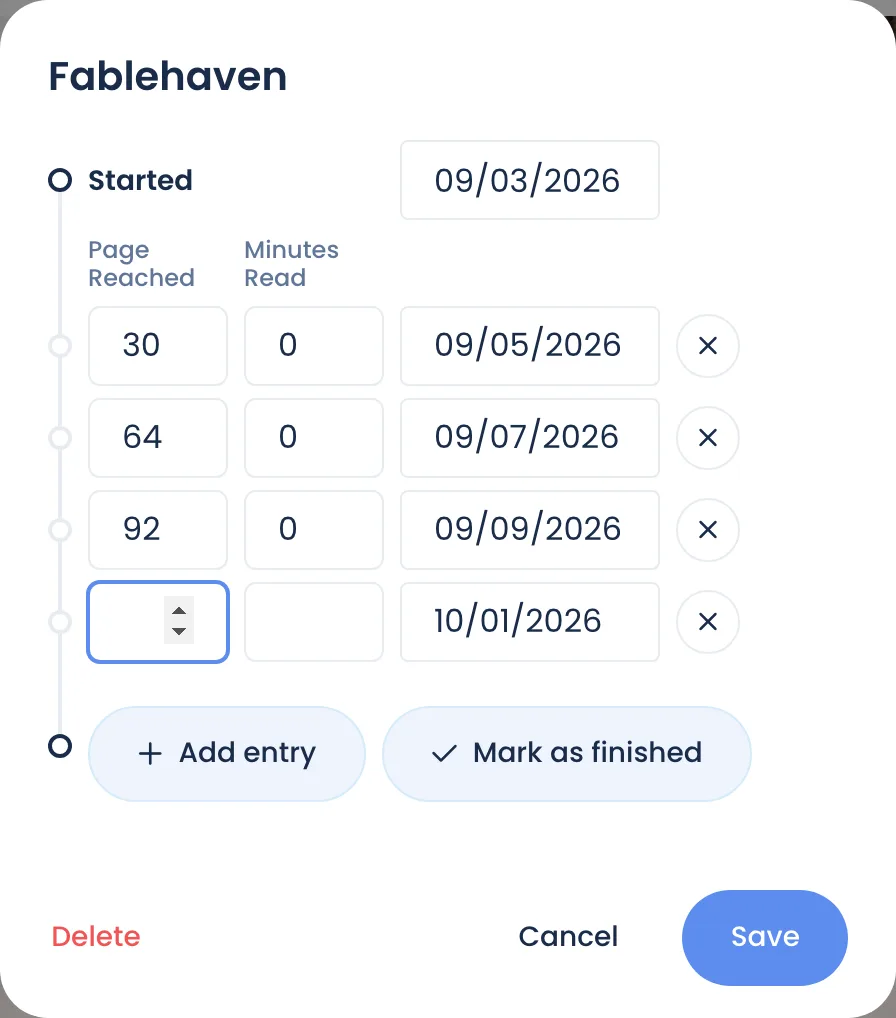
- In the reading window, fill in Page Reached and/or Minutes Read for today. To log another day, use Add entry → I read more in this book.
- When the book is done, click Mark as finished (if it isn't already), then Save.
Points are added as soon as the entry is saved. See How points work.
A book that isn't on Bookroo
In the Add reading window, choose Add Custom Reading. Enter the Title, Date and Reading Status. ISBN and Total pages are optional. See also Can't find a book.
What changes when you set a restriction
Restrictions are set per student under Settings → Student Restrictions.
| Setting | What the student sees |
|---|---|
| No restrictions | Records reading and earns points right away |
| Quiz or admin certified | Records reading as normal. A finished book says "To earn points for this book, pass the quiz, or have your teacher certify this reading," and shows Points pending in their Reading Journey. |
| Admin controlled | The reading buttons are greyed out with "Ask a teacher to help record your reading." You record it for them with Add Reading on your class Overview. |
Students may also see:
- "This book can't be reread for N days": your Reread Wait Days setting.
- A note that a book is above or below their reading range. See Reading levels and ZPD.
Related: Require a quiz before points, Record or fix reading for a student, Reading didn't earn points.
Still stuck?
Email us or book a call. A person on the Bookroo team will help.