How do I start a free Bookroo class?
Step by step · Updated
Every new class gets a free 30-day Classroom Plus trial. No credit card is needed.
- Go to bookroo.com/classrooms and click to start a class. Sign in or create a free account; choose Educator and sign in with Google, Clever or email.
- Enter a Class Name and Class grade. Or import a Google Classroom course or a Clever section to bring in names automatically.
- Add your students (you can add more later).
- Review and create.
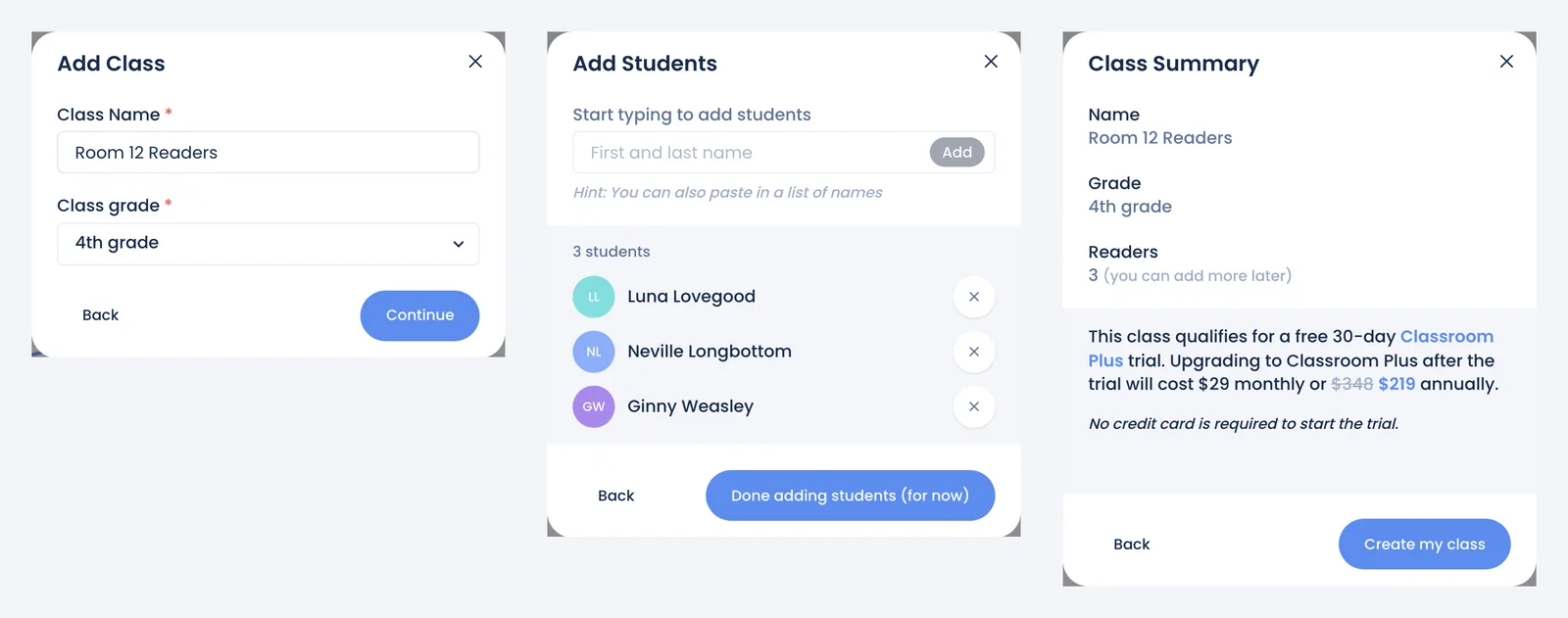
Your class opens on its Overview. Next steps:
- Print sign-in cards: How students sign in.
- Set a reading goal: Create a reading challenge.
- Invite a co-teacher: Give a co-teacher access.
Already have a class? Use Create class in the class switcher at the top of the sidebar, or the add-class button on your Dashboard.
Still stuck?
Email us or book a call. A person on the Bookroo team will help.